Case study: Gumlet turned ChatGPT mentions into 20% of inbound revenue. Read it →

GEO for Webflow Sites: How to Make a Webflow B2B SaaS Site Citation-Ready

Your clean build, schema, and llms.txt only solve the half of GEO you can see. Here's the on-site setup Webflow rewards, the platform-specific mistakes that quietly block citations, and the off-site work that decides whether AI search actually names you.


TL;DR
- A citation-ready Webflow site has two halves: on-site legibility (structure, schema, speed, entity clarity) and off-site corroboration (mentions and references across the web). Webflow makes the first half unusually easy and does nothing for the second.
- In our study of 40 B2B SaaS categories, only about 11.6% of the citations in a given category pointed back to the brand’s own domain. Roughly 88 cents of every citation dollar is decided somewhere other than your Webflow build.
- Webflow’s clean semantic HTML, fast CDN, native schema generation, and auto-published llms.txt clear the technical bar most WordPress sites trip over. That gets you eligible to be cited, not chosen.
- Several Webflow defaults quietly block citations: the .webflow.io staging duplicate, content injected by Interactions, heading levels used for visual styling, and thin programmatic CMS pages.
- The teams that win pair a technically legible Webflow site with earned third-party presence and one proprietary claim (a benchmark, a number, a definition) that models are forced to attribute to them.
- Measure the outcome in pipeline, not in an AI visibility score. Across our client accounts, AI-referred visitors convert at 14.2% versus 2.8% for Google organic, so the citation is only worth tracking if you can trace it to demos.
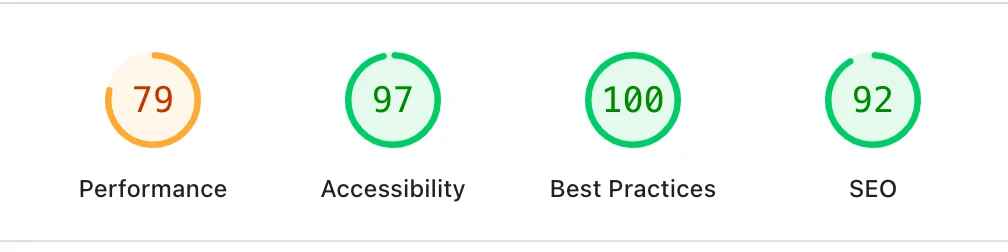
Your Webflow site is clean. The Lighthouse score sits in the nineties, the schema validates, the llms.txt file is live at the root, and every page loads fast. Then you open ChatGPT, type the exact question your buyers ask, and watch it recommend three competitors while your product goes unmentioned.
Most teams read that gap as a content problem and respond by publishing more, adding more FAQ schema, and polishing the on-page structure again. That work is real and Webflow is a good place to do it, which is precisely why it becomes a trap.
The platform is so tidy by default that people assume the platform is doing the job, stop at schema and llms.txt, and never build the thing that actually earns the citation. The uncomfortable part is that the most valuable half of the work does not happen inside Webflow at all.
This piece covers what “citation-ready” means for a Webflow B2B SaaS site, the exact native setup that removes you from the uncitable pile, the Webflow-specific mistakes that silently cost you citations, an honest read on Webflow’s newer AEO features, and where the citations you are missing actually come from.
By the end you will know what to do on your Webflow site this week, what to stop over-investing in, and whether you need help with the layer Webflow cannot touch. Start with the definition, because most of the confusion lives there.
What does “citation-ready” mean for a Webflow site?
A citation-ready Webflow site is one an AI model can crawl, parse, and quote with clear attribution, and that enough of the wider web corroborates for the model to trust it. Those are two separate requirements, and Webflow only helps with the first.
The first requirement is legibility. The model has to reach your pages, read them without hitting a rendering wall, understand which entity the page is about, and find a passage clean enough to lift into an answer. This is on-site work, and it is measurable.
The second requirement is corroboration. Language models weight independent sources that mention or reference you, because a claim confirmed in several places is safer to repeat than a claim that only appears on your own marketing site.
Research posted to arXiv in 2025 by Chen and colleagues found that AI search systems show a consistent preference for earned, third-party media over brand-owned and social content. A Webflow page can be flawless and still go uncited if nothing off your domain points to it.
Holding both halves in view changes how you spend the next quarter. If you only think about legibility, you will do everything Webflow rewards and still lose the answer box. The rest of this guide treats the two halves in order, starting with the head start Webflow genuinely gives you.
Why Webflow gives B2B SaaS a real head start in AI search
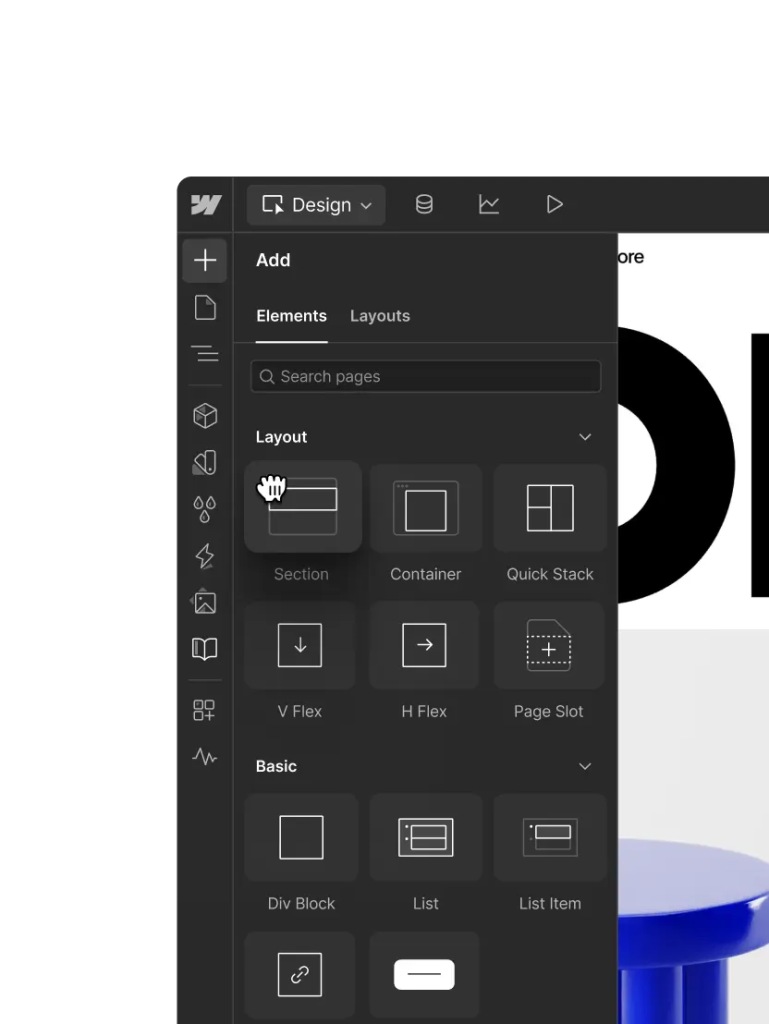
Webflow clears the technical legibility bar that blocks a large share of the web, so a disciplined Webflow build starts several steps ahead on the on-site half of GEO. That head start is real, and it also has a hard edge you need to see.
Published Webflow pages are static HTML served from a global CDN, so an AI crawler receives readable markup on the first request instead of an empty shell waiting for scripts. The code is semantic and free of the plugin sprawl that clutters many WordPress builds.
An internal analysis at DerivateX in 2026 found that models are roughly 28 to 40% more likely to cite content with a clear hierarchical structure, and a well-built Webflow site tends to have that hierarchy by construction.
Speed compounds the effect: an SE Ranking study published in November 2025 reported that pages with a First Contentful Paint under 0.4 seconds averaged 6.7 AI citations, while pages loading slower than 1.13 seconds averaged 2.1.
Webflow has also moved its own tooling in this direction. Its platform now auto-generates an llms.txt file, produces schema markup natively, and ships an AEO product aimed at answer-engine visibility. Webflow’s marketing team has reported that AI search drove about 8% of its new signups by mid-2025, up from roughly 2% the previous autumn.
Here is where the head start stops. Every advantage above lives on the legibility side of the ledger, and legibility is necessary, not sufficient. A separate 2025 arXiv paper found that on-page structure is the strongest on-page predictor of whether a page gets cited, then added the qualifier that matters most: structure alone does not carry a page that nothing else on the web points to.
Webflow gets you to the starting line faster than almost any platform. It does not run the race for you. The next section is the part you fully control.
The exact Webflow-native setup to make your site citation-ready
Do these five things inside Webflow and you will clear the on-site half of GEO without a developer for most of it. Work through them in order, because each one makes the next easier for a model to trust.
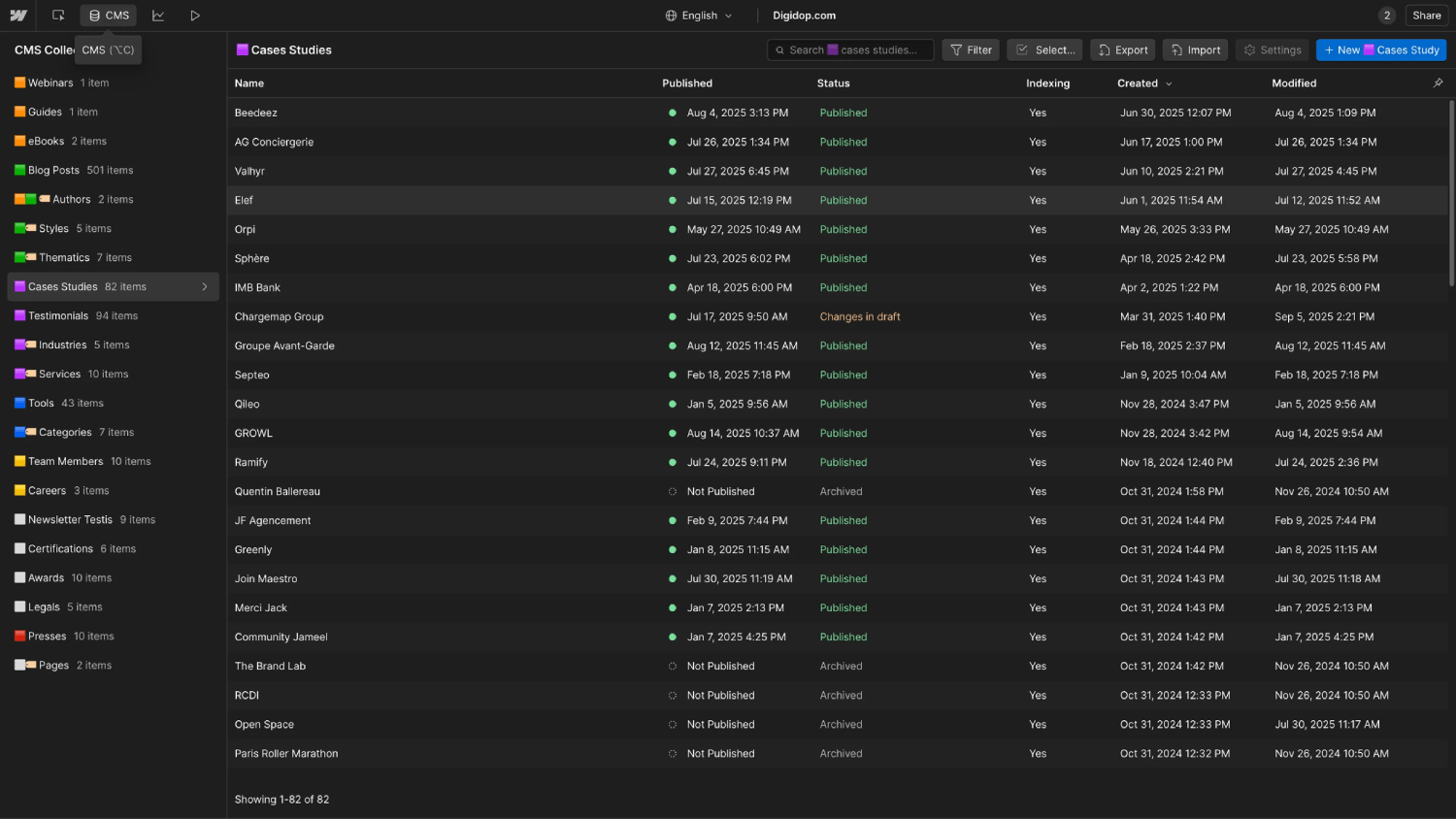
Model your entities with CMS Collections
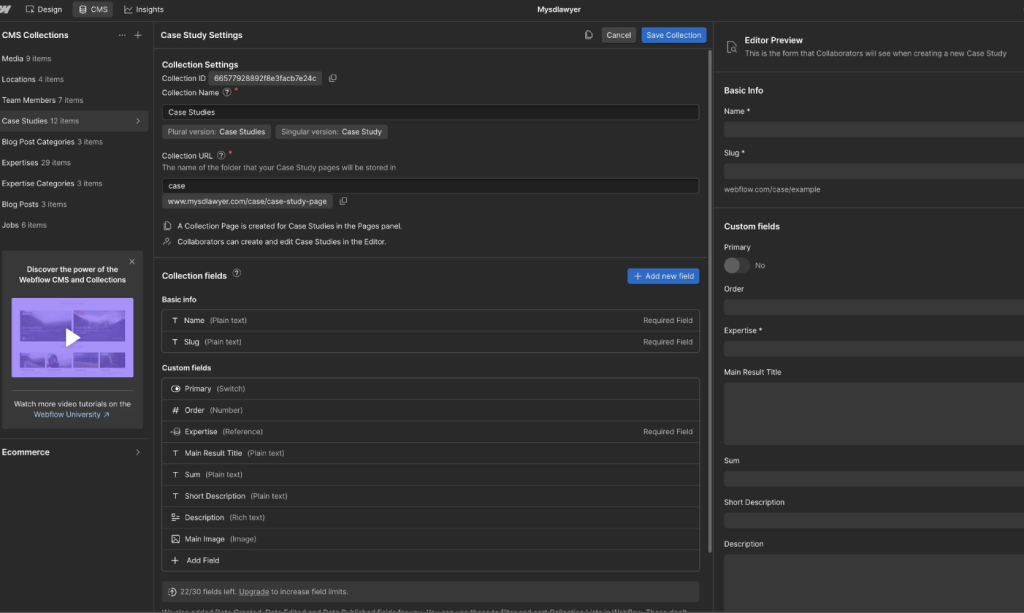
Treat Webflow CMS Collections as the scaffolding for your entities, not just a blog feed. Create Collections for the objects your category actually has: Products or Features, Solutions, Comparisons, a Glossary, People (for author entities), and Case Studies. Give each Collection fields that map to schema properties you will use later, such as name, description, image, datePublished, author, and sameAs.
The payoff is consistency at scale. When every article, product, and glossary page pulls its entity data from the same structured fields, a model sees the same brand described the same way across dozens of URLs, which is exactly the repetition that strengthens an entity signal.
Add JSON-LD schema and bind it to CMS fields
Add JSON-LD, not microdata, and put it where Webflow reads it cleanly. Two placements cover almost everything:
- Add an Organization schema block to your site-wide custom code so every page carries a consistent brand entity.
- On Collection templates, place a JSON-LD embed inside the page and bind its values to CMS fields, so an Article or Product schema populates automatically for every item.
Webflow’s newer native schema generator can produce contextually relevant JSON-LD from Page Settings and bind it to Collection fields, which removes most of the manual coding this used to require. If you are on a plan that limits custom code, remember that each embed carries a character cap, so keep the JSON-LD lean and put shared logic site-wide rather than repeating it per page. For the question types worth marking up first, FAQPage and Article schema tend to earn the most extraction on informational pages.
Structure every page answer-first
Open each page with the answer to the question it targets, in one to three sentences, before you expand. Models extract passages, and a buried answer does not get lifted. A February 2026 analysis by Profound found that about 44% of AI citations come from the first third of a page’s text.
Keep answer blocks tight, roughly 50 to 120 words, and give each its own heading phrased the way a buyer would ask it. This is the single structural habit that separates cited Webflow pages from ignored ones, and it costs nothing to adopt. Our breakdown of how LLMs decide what to cite goes deeper on the extraction mechanics behind this.
Publish a clean llms.txt, and keep it honest
Webflow can generate an llms.txt file for you, and you should publish one, with a caveat. Treat it as a hygiene file that helps AI agents find your priority pages, similar in spirit to a sitemap, not as a lever that produces citations on its own. Point it at your canonical product, comparison, and highest-value long-form pages, write real descriptions instead of bare URLs, and keep it current so it never references pages you have moved or merged. Our complete guide to llms.txt covers the format and the common failure patterns in full.
Confirm crawl access and canonical intent
Finish by making sure crawlers can reach the right version of your site and only that version. Enable and submit the auto-generated sitemap in Google Search Console, keep robots.txt open to the AI user agents you want (GPTBot, ClaudeBot, PerplexityBot, Google-Extended), and set canonical tags on Collection templates so paginated or filtered variants do not compete with the page you want cited. The staging fix in the next section belongs here too, and it is the one most teams forget.
Run through our 25-point LLM SEO checklist once you have these in place, and you will have done the on-site work more thoroughly than most sites in your category.
The Webflow-specific mistakes that silently kill AI citations
Webflow’s flexibility is the same flexibility that lets you break your own citation readiness without noticing. Four defaults cause most of the damage, and none of them show up in a Lighthouse score.
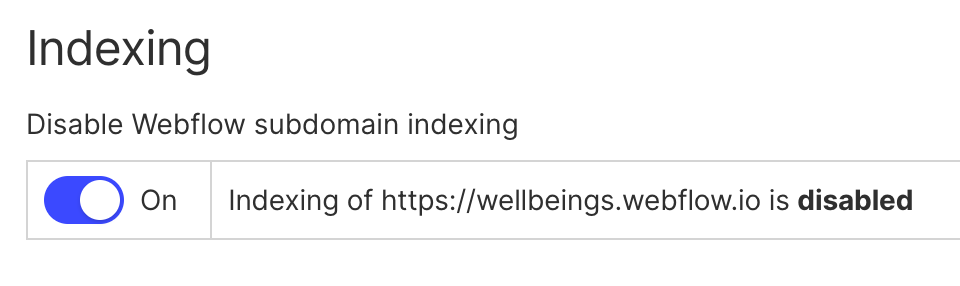
The .webflow.io staging domain gets indexed and competes with you. Every Webflow project ships with a staging subdomain, and if it stays crawlable, models can find a duplicate of your content on a domain you never meant to publish. Turn off indexing for the staging subdomain in your site settings and confirm your production domain is the only canonical version.
Content injected by Interactions or client-side scripts may never be read. Static Webflow HTML is friendly to crawlers, but text or answers you reveal through Interactions, tabs, sliders, or on-scroll animations can sit outside the initial HTML. Assume a model reads what is in the raw page source and put your most quotable answers in plain, always-rendered text rather than behind an interaction.
Headings get used for visual size instead of document structure. Webflow lets a designer style any element as any heading, so it is common to see an H1 chosen because it looked right, an H3 skipped, and multiple H1s on one page. That wrecks the hierarchy the model relies on to understand the page. Audit every template so headings describe structure, with one H1 per page and no skipped levels.
Thin programmatic CMS pages dilute your authority. Collections make it easy to spin up hundreds of near-identical pages, and models penalize low-value URL churn. If a programmatic page cannot answer a real question with real evidence, consolidate it into a stronger page rather than shipping it. Fewer, denser pages get cited more often than many thin ones.
What Webflow’s native AEO tools do, and the one thing they can’t
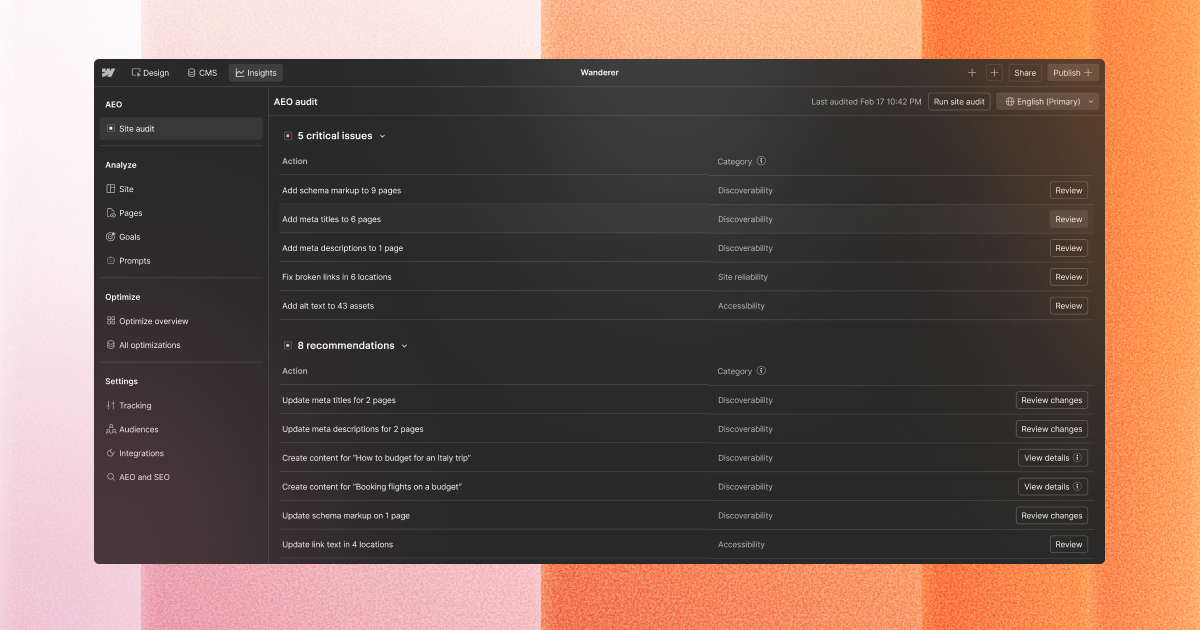
Webflow’s April 2026 AEO features measure your AI visibility, recommend fixes, and let you ship those fixes inside the platform, all on the legibility side of GEO. That is a genuine convenience and worth using if you are on a plan that includes it.
The closed-loop system tracks how your brand appears across answer engines, scores your site against pillars like content, technical, authority, and measurement, and surfaces prioritized recommendations you can act on with Webflow’s AI agents. For a team that wants its measurement and its edits in one place, that shortens the loop between seeing a gap and shipping a change.
The limit is structural, not a knock on the product. A native platform tool can read your site, grade your site, and edit your site. It cannot go publish an independent review, earn a mention in a category roundup, seed a definition on a community thread, or produce a benchmark that other sites cite. Those actions happen off your domain, and off-domain corroboration is where the majority of category citations are decided.
Use Webflow’s AEO features to keep the on-site half sharp, then judge the off-site half by the outcome the tool cannot manufacture for you.
Where B2B SaaS AI citations actually come from
Most of the citations you want are earned on other people’s websites, not on yours. This is the reframe that changes how you budget, and it is backed by the clearest number we have.
Our 2026 study of citation behavior across 40 B2B SaaS categories found that only about 11.6% of the citations in a category pointed to the brand’s own domain. The remaining share was distributed across independent sources: reviews, roundups, community threads, and reference pages that a brand does not directly control. If a competitor keeps taking the slot you want, the fix starts with diagnosing which of these sources is doing the citation work.
A companion finding from our Authority Inversion analysis of 233 recommendations added a twist, that the gatekeepers everyone assumes dominate, the big review directories, often showed up with almost no citations, while smaller niche sources carried a surprising portion of the weight.
Two moves change your standing on this off-site half. The first is earned presence in the exact places models pull from for your category, which is why domains with active community footprints get cited noticeably more often than those without. The second is owning one proprietary claim, a benchmark, an original number, or a category definition, that no competitor can source elsewhere.
When a model discusses the category, it is structurally pushed to attribute that claim to you, because there is nowhere else to attribute it. Our 90-day GEO sprint lays out how the off-site and on-site tracks run in parallel.
If you want to see your current split before you spend a rupee or a dollar, the DerivateX AI visibility audit runs a set of buyer-intent prompts across ChatGPT, Perplexity, Claude, and Gemini and shows you which of those citations are yours and which belong to competitors.
How to measure Webflow GEO in pipeline, not vanity scores
Track AI citations through to demos and signups, because an AI visibility score that never connects to pipeline tells you nothing about whether the work paid off. The number that matters is revenue influenced, not a grade out of 100.
Set this up in three steps. Tag AI-sourced sessions in GA4 by referral source so traffic from ChatGPT, Perplexity, Claude, and AI Overviews is identified separately from organic. Follow those tagged sessions through to demo requests and signups. Then report the pipeline figure alongside the citation count, so a rise in citations is only counted as a win when the pipeline moves with it.
The reason this is worth the setup is the conversion gap. Across our client accounts, visitors referred by AI tools convert at 14.2%, compared with 2.8% for Google organic, so a single AI citation on a high-intent prompt is worth far more than its raw session count suggests. A Webflow site instrumented this way turns GEO from a reporting exercise into a channel you can defend to leadership.
Your Webflow GEO priority order
If you only have a week, spend it on legibility fixes that are fast and permanent, then shift the following weeks to the off-site work that decides the outcome. Do them in this order:
- Disable indexing on the .webflow.io staging domain and confirm your canonical production URLs.
- Fix heading hierarchy across templates and move quotable answers out of Interactions into always-rendered text.
- Add site-wide Organization JSON-LD and bind Article or Product schema to your CMS templates.
- Rewrite the top of your highest-intent pages to answer-first, with buyer-phrased headings.
- Publish and clean up llms.txt, submit the sitemap, and open robots.txt to the AI crawlers.
- Set up GA4 tagging for AI-referred sessions so you can measure from day one.
- Start the off-site track: earned mentions in the sources your category’s answers already pull from, plus one proprietary claim built to be cited.
The first six are one-time or near-one-time. The seventh is the compounding one, and it is the reason two Webflow sites with identical technical setups can end up with completely different citation outcomes.
FAQ
Is Webflow good for GEO, or is that just Webflow’s marketing?
Webflow is genuinely strong for the on-site half of GEO. It serves static, semantic HTML from a fast CDN, generates schema and llms.txt natively, and avoids the plugin bloat that slows many WordPress sites, all of which help AI crawlers read and trust your pages. What Webflow cannot do is earn the off-site mentions and references that decide most category citations.
In our 40-category study, only about 11.6% of citations pointed to a brand’s own domain. So Webflow is a real advantage on legibility and a non-factor on the corroboration that matters more.
My Webflow site has a 98 Lighthouse score, so why isn’t ChatGPT citing us?
A high Lighthouse score measures performance and technical hygiene, not citation-worthiness. Models cite pages they can read, understand, and trust, and trust is built largely off your domain through independent mentions. If nothing on the wider web references you for a query, a perfect on-site score will not move you into the answer.
Check three things: whether your quotable content sits in always-rendered HTML rather than behind Interactions, whether your entity is described consistently across pages, and whether any third-party sources mention you for the category at all. The last one is usually the real gap.
Do I actually need an llms.txt file on Webflow to get cited?
No, an llms.txt file will not get you cited on its own. Treat it as a hygiene file, similar to a sitemap, that helps AI agents find your priority pages faster. Publishing a clean one with real page descriptions is worth doing, especially since Webflow can generate it for you, but practitioners testing it have not seen citations move because of the file itself.
Do not let it become the centerpiece of your strategy. Spend the saved time on answer-first structure and off-site presence, which do change citation outcomes.
How do I add schema to a Webflow site without a developer?
Use Webflow’s native schema generator in Page Settings to produce JSON-LD, then bind its values to your CMS fields so Collection pages populate automatically. For a site-wide brand entity, paste an Organization JSON-LD block into your project’s custom code so every page carries it. Keep each embed lean, because Webflow caps custom code characters per embed and by plan. Start with Organization schema everywhere, then Article schema on blog templates and FAQPage schema on pages with question-and-answer content, since those earn the most extraction in AI answers.
How long does it take to get a Webflow site cited in ChatGPT?
On-site fixes like schema, heading hierarchy, and answer-first structure can be shipped in a week and make you eligible almost immediately. The citation itself depends on the off-site half, which moves slower. Stable citations on definitional or category queries typically take six to ten weeks of consistent earned presence and entity reinforcement, and competitive commercial queries can take longer.
Anyone promising citations in days is either targeting a query with no competition or measuring something other than citations. Instrument your GA4 tracking on day one so you can see movement as it happens.
If only my own site is optimized, will I still get cited?
Rarely, and only in categories with almost no competition. This is the most common objection to prioritizing off-site work, and the data answers it directly: about 88% of category citations in our study pointed somewhere other than the brand’s own domain. A model prefers claims it can corroborate across independent sources, so a page that lives only on your blog with nothing pointing to it is a weak citation candidate no matter how clean the Webflow build is. On-site optimization makes you eligible. Off-site corroboration and one proprietary claim make you chosen.
Conclusion
The most important thing to understand about GEO for Webflow sites is that the platform solves the half of the problem you can see and none of the half that decides the outcome. Webflow’s clean code, native schema, and fast hosting make you legible to AI models faster than almost any alternative, and legibility is where most competing guides stop. The citation is won on the roughly 88% of the surface that sits off your domain, on the sources models trust to corroborate what your site claims.
Do the on-site setup this week, because it is fast, permanent, and fully in your control: fix the staging duplicate and heading hierarchy, bind schema to your CMS, rewrite your highest-intent pages answer-first, and tag AI-referred sessions in GA4 so you can measure in pipeline instead of vanity scores. Then point your real effort at the off-site track, earned presence in the exact places your category’s answers already pull from, anchored by one proprietary claim no competitor can source elsewhere.
The Webflow sites that own their category in AI search over the next year will not be the ones with the highest Lighthouse scores. They will be the ones whose teams treated the clean build as the price of entry and spent their energy becoming the source the models could not answer the question without.
Written byAyush SharmaVP, SEO & AI Search, DerivateX
VP, SEO & AI Search at DerivateX. We're a B2B SaaS SEO and Generative Engine Optimization agency that engineers AI citations in ChatGPT, Perplexity, Claude, and Gemini and connects them to demo bookings and revenue pipeline.
Reviewed byApoorv SharmaCo-founder, DerivateX
Apoorv Sharma is the co-founder of DerivateX, a B2B SaaS SEO and Generative Engine Optimization agency that engineers AI citations in ChatGPT, Perplexity, Claude, and Gemini and connects them to demo bookings and revenue pipeline. He is the author of the 2026 AI Visibility Benchmark Report and the Citation Engineering methodology. He's also the brain behind "Found On AI" and has sold 2 of his companies previously
Cited by AI