Our team has the bandwidth to create 2 more SEO growth plans this month. Get one now →

Should I Search Google or Type a URL? Pros and When to Use Each


Imagine this—you’re sitting at your computer or holding your phone, ready to check out a website. You know the name of the site, but here’s the question: Do you type its URL directly into the address bar or just search for it on Google?
It feels like a small decision, but it’s not. This choice can save you time or send you down an unnecessary rabbit hole. Maybe you’re worried about mistyping the URL, or maybe you’re unsure if Google will show the exact link you need. Either way, we’ve all been there.
So, what’s the better move? In this post, we’ll clear the confusion once and for all. You’ll learn:
- Why both options exist in the first place.
- The pros and cons of searching Google versus typing a URL.
- A few tricks to browse faster, safer, and smarter.
This isn’t just about solving a minor dilemma—it’s about improving how you navigate the internet every day. Let’s get straight to it.
What Happens When You Search Google vs. Type a URL?
Ever wondered what really happens when you hit “Enter” after typing in a URL or searching on Google? While the results may look simple on the surface, there’s a lot happening behind the scenes.
When You Search Google
Typing something into Google—like “best vegan recipes” or “Amazon login”—kicks off a chain of events:
- Google’s Algorithms Get to Work
Google scans its massive database of indexed websites to find the most relevant pages. It considers things like keywords, website authority, your location, and even your browsing history. - You See a Variety of Options
Google organizes the results and presents them in order of relevance. You’ll see ads, organic search results, maybe a featured snippet at the top, and even images or videos, depending on your query. - You Pick What to Click
This is where Google shines—it gives you a variety of options, even if you don’t know exactly what you’re looking for. However, this process can take longer if you’re unsure of the right result.
When You Type a URL
Let’s say you know exactly where you want to go, like www.netflix.com. Here’s what happens:
- The Browser Connects to the Website’s Server
By typing the URL, you bypass Google entirely. Your browser sends a request directly to Netflix’s servers, asking them to load the website. - No Middleman, Just Speed
The site loads almost instantly (depending on your internet connection) because there’s no detour through Google’s search engine or ads. - You Avoid Distractions
No ads, no similar websites competing for your attention, and no chance of clicking on something shady. You go directly to your destination.
Key Takeaways
- Searching Google is perfect when you’re exploring, unsure of the exact site, or looking for multiple options.
- Typing a URL is ideal when you know exactly where you want to go—it’s faster, more direct, and avoids distractions.
Understanding these differences might seem minor, but making the right choice can save you time and even improve your browsing safety. And now that you know what’s happening behind the scenes, let’s dig deeper into which option is better for specific scenarios.
Pros and Cons: Searching Google vs. Typing a URL
Now that you know what happens behind the scenes, let’s talk about the upsides and downsides of each approach. Both searching on Google and typing a URL have their strengths—and their quirks. The right choice depends on what you’re trying to achieve.
When You Search Google
Searching on Google is like window shopping. You might not know the exact store you’re looking for, but you’ll get a bunch of options to browse. Here’s what makes it great (and not-so-great).
Pros
- Perfect for Discovery: If you’re exploring a topic or don’t know the exact website, Google helps you find relevant options fast.
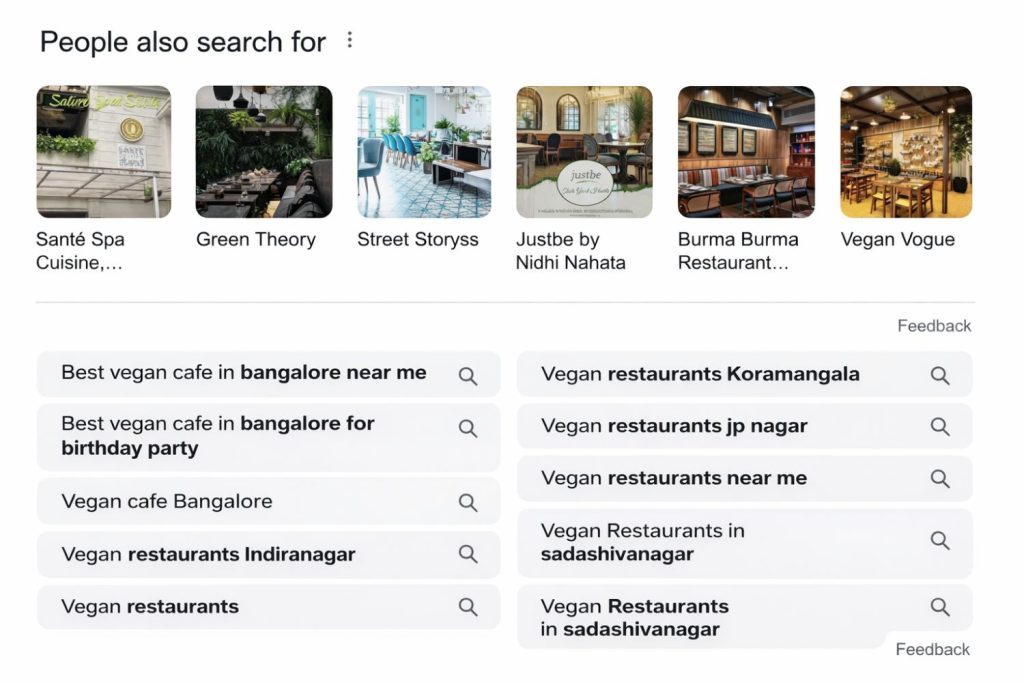
Example: Looking for “best vegan cafes in Bengaluru”? Google will show you a curated list, reviews, and even maps. - Up-to-Date Information: You’ll see the latest content, including news, updates, and trending pages.
- Alternative Choices: Sometimes, the best option isn’t the first one you thought of. Google lets you explore similar results, which can be a game-changer.
- Built-in Suggestions: With autocomplete and “People Also Ask,” Google gives you ideas you didn’t even know you were searching for.
Cons
- Can Be Distracting: You might search for one thing and end up clicking on something completely unrelated (hello, YouTube rabbit hole).
- Not Always Accurate: Sponsored ads or irrelevant pages might show up before the actual result you’re looking for.
- Phishing Risks: Scammers can create fake sites that rank high on Google, so clicking blindly can be risky.
When You Type a URL
Typing a URL is like having the exact address of the shop you want to visit. You skip the detours and head straight to the destination. But even this method isn’t perfect for every situation.
Pros
- Fast and Direct: No need to sift through search results or ads—you’re straight to the point.
Example: Typingwww.amazon.comis quicker than searching “Amazon” and finding the right link. - More Secure: By typing the exact URL, you reduce the risk of landing on a phishing or fake website.
- No Distractions: You avoid ads, competitor links, or unrelated search results.
- Familiarity: For websites you visit often, typing the URL (or using bookmarks) becomes second nature.
Cons
- Mistakes Can Be Costly: A single typo can send you to the wrong site—or worse, a malicious one.
Example: Accidentally typingwww.gooogle.cominstead ofwww.google.commight lead you somewhere shady. - Not Useful for Exploration: If you’re unsure about the website name or URL, this method can waste time.
- Less Flexible: You’re stuck with that one website, even if it’s not what you were looking for.
Which Option Should You Choose?
- Search Google: When you’re looking for options, researching, or unsure of the exact website.
- Type a URL: When you know exactly where you want to go and want a quick, secure way to get there.
Both approaches have their place. The key is knowing when to use each to save time, avoid distractions, and stay safe online.
When Should You Search Google vs. Type a URL?
The choice between searching Google and typing a URL isn’t always black and white. It depends on the situation, your intent, and even how familiar you are with the website you’re trying to access. Let’s break it down with some practical examples.
When to Search Google
- You’re Not Sure of the Website’s Name or URL
- If you’re looking for a product, service, or information but don’t know the exact website, Google is your best friend.
Example: Searching “best project management tools” will show you options like Trello, Asana, and Monday.com.
- If you’re looking for a product, service, or information but don’t know the exact website, Google is your best friend.
- You Want to Explore Alternatives
- Searching allows you to compare multiple options at a glance. Perfect for situations like shopping, choosing restaurants, or comparing software.
Example: “Best vegan shoes brands” gives you a list of choices to pick from.
- Searching allows you to compare multiple options at a glance. Perfect for situations like shopping, choosing restaurants, or comparing software.
- You’re Looking for Something New
- If you’re researching or curious about a topic, Google will provide a range of resources, including blogs, videos, and news.
- You’re Looking for Current or Local Information
- Google’s real-time algorithms make it great for finding recent updates, trending topics, or nearby services.
Example: “Vegan cafes near me” instantly shows you nearby spots with reviews.
- Google’s real-time algorithms make it great for finding recent updates, trending topics, or nearby services.
- You Want Multiple Perspectives
- Instead of relying on one source, Google helps you access opinions, reviews, and comparisons from various trusted websites.
When to Type a URL
- You Know Exactly Where You Want to Go
- If you’re visiting a website you already know and trust, typing the URL is faster and more efficient.
Example: Typingwww.netflix.cominstead of searching “Netflix login.”
- If you’re visiting a website you already know and trust, typing the URL is faster and more efficient.
- You Visit the Website Frequently
- Bookmark the site or memorize the URL for one-click access. This is especially helpful for work tools, shopping platforms, or social media.
Example: Typingslack.comdaily for work-related communication.
- Bookmark the site or memorize the URL for one-click access. This is especially helpful for work tools, shopping platforms, or social media.
- You Want a Secure Browsing Experience
- Typing the URL minimizes the risk of accidentally landing on a malicious or phishing website. This is particularly important for banking or sensitive accounts.
Example: Manually typingwww.hdfcbank.comensures you reach the real banking site.
- Typing the URL minimizes the risk of accidentally landing on a malicious or phishing website. This is particularly important for banking or sensitive accounts.
- You’re Avoiding Distractions
- If you want to avoid the temptation of ads or irrelevant links, typing the URL gives you a clean and focused browsing experience.
- You’re Sharing a Specific Link
- URLs are great for sending someone directly to a page. They won’t have to search and guess which link to click.
How to Decide?
- If you’re exploring or researching, search Google to see a variety of options.
- If you’re on a mission and know where you’re headed, type the URL to save time and stay secure.
Knowing when to use each method can make your online experience smoother, faster, and safer. And if you want to become an even savvier internet user, the next part will help you master advanced tips for typing URLs correctly and searching Google like a pro.
Conclusion
Deciding whether to search Google or type a URL directly comes down to one key question: What’s your goal?
If you’re exploring new topics, researching, or unsure of the exact website, Google’s search engine is your best friend. It gives you a world of options to choose from. But if you know the exact website you want to visit, typing the URL directly is faster, safer, and distraction-free.
By understanding the strengths of both methods, you can save time, stay secure, and make your browsing experience more efficient. Whether you’re typing a URL or searching Google, the real takeaway here is to use the right tool for the job. Happy browsing!